Full Stack Service

Live AI Assistance - RachelAI

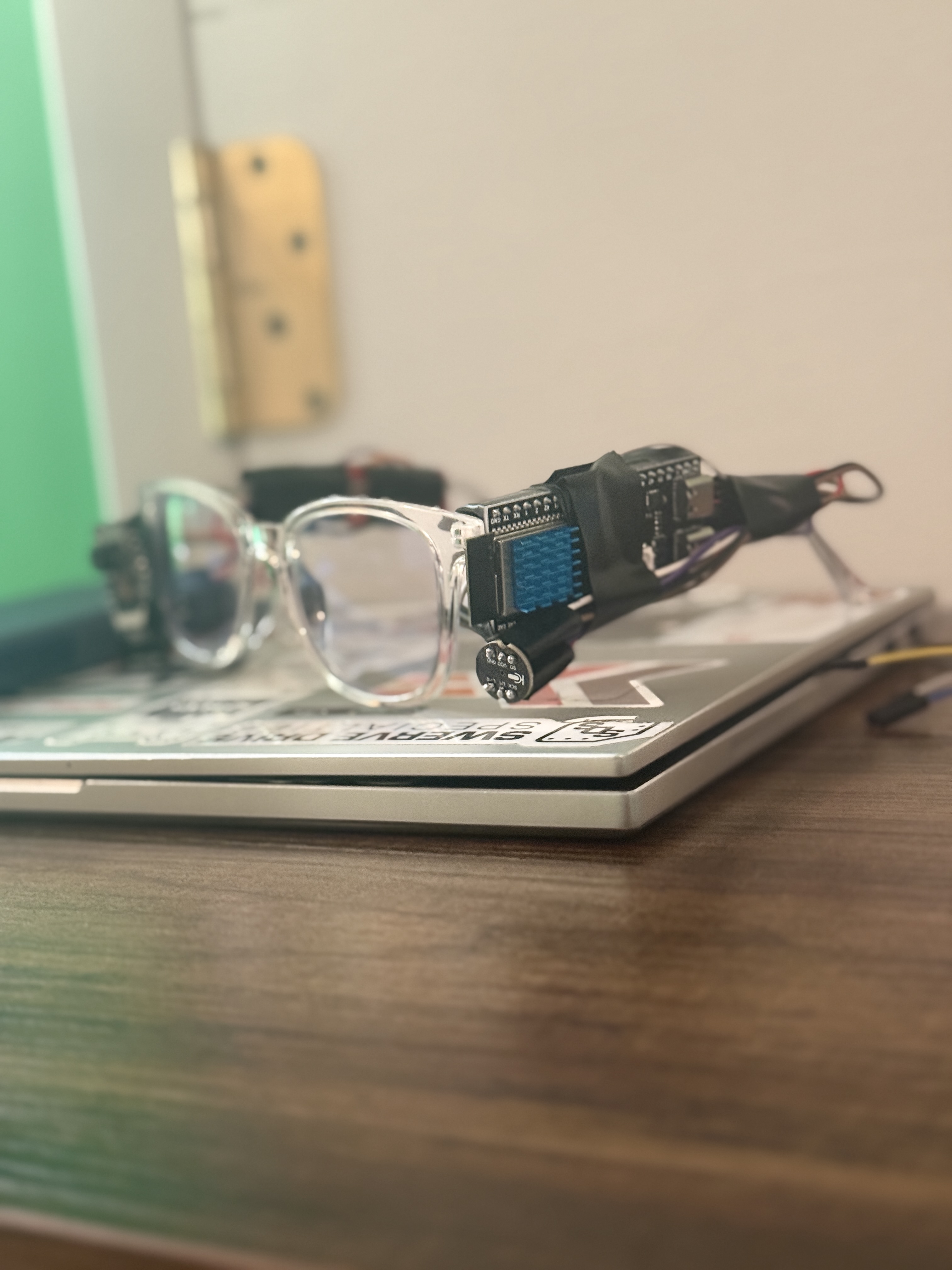
Take any regular pair of glasses and upgrade them with an ESP-32 camera, and a microphone for a voice controlled AI experience. On-device processing for real-time object recognition, scene description, and voice interaction.

RachelAI Demo

Full Feature Set & Required Materials

  • Camera Integration: AI models can use attached camera for real-time object recognition, scene description, and text reading.
  • General AI Capabilities: Can solve complex problems, answer questions, and generate content based on user prompts. Similar performance to the ChatGPT 5 Base Model
  • Speaker: Talks back to you for responses
  • Wireless: All compnents are independant of each other and are conneted via a central network
  • ESP-32 CAM Module: $10 - $15
  • Microcontroller: ESP-32 S3 $10 - $20
  • Microphone: $5 - $10
  • Power Source: Small LiPo battery or battery pack, $10 - $20
  • Glasses: Cheap blue light or plastic glasses, $5 - $15
  • ESP-32 CAM -> Micro USB Adapter: $5 - $10
  • Miscellaneous: Wires, connectors, soldering equipment

Getting Started

Clone the repository to build locally.

git clone https://github.com/chromemilk/Rachel-Vision

Build & Programming Instructions

(pre-build) download Arduino IDE and related packages

1. Obtain required materials (listed above)

2. Wire microphone to the ESP-32 S3 Module according to the firmware code (remember L/R should be tied to GND)

3. Wire ESP-32 CAM to the adapter according to the firmware code

4. Flash ESP-32 S3 Module with the provided "mic" firmware

5. Flash ESP-32 CAM Module with the provided "cam" firmware

6. Attach hardware to glasses via tape or 3D-printed parts

Usage Instructions

(pre-use) Obtain relevant API keys (look in Python script) and place them in a .env file in the local directory

1. Have a local network set up for all the devices to connect to

2. Power on the Rachel Vision device

3. Run provided server Python script

4. Interact with the device using the camera and microphone (say "Rachel, what is this?" to trigger a response)